
Quick answer
Station buildings and research in Star Trek Fleet Command create capabilities and prerequisites; ship construction can depend on blueprints, research, Shipyard level, and Hangar capacity. Drydocks connect owned ships to usable fleet slots, and those ships operate through System and Galaxy views. The live client determines the actual requirement for your account—this is not a universal upgrade order.
If you need broader help with your first sessions, current Missions, or the basic system landscape, begin with our Star Trek Fleet Command beginner guide. This guide goes one layer deeper into the station-and-fleet relationship without turning it into a build plan.
How the station and fleet systems connect
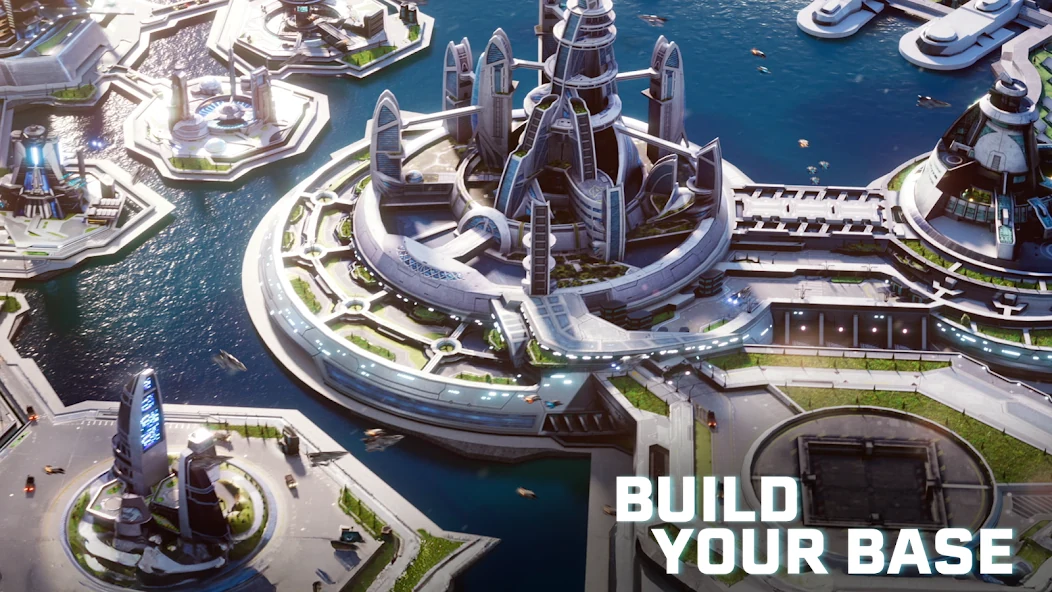
The station is where several connected systems are managed. Official STFC support separates it into Interior and Exterior buildings. Those buildings, along with research, can create requirements or capabilities that matter when you look at ships.
The fleet side begins with a ship you can build and then assign. A ship’s construction may require enough blueprints as well as the current research, Shipyard, and Hangar conditions shown by the client. An owned ship then needs an assigned drydock before it can be used. Once assigned and captained, it can operate on the map.
That creates a relationship rather than a fixed route:
| System surface | What official support documents | What it does not prove |
|---|---|---|
| Station buildings | Interior and Exterior buildings have distinct roles. | One permanent building order. |
| Operations and R&D | Operations unlocks buildings; R&D provides research, which can be a prerequisite. | That Operations or any research node should be rushed. |
| Ship construction | Blueprints, research, Shipyard level, and Hangar capacity can matter. | That a particular ship is the next or best choice. |
| Drydocks | One drydock holds one assigned ship; more drydocks can support more assigned ships. | An optimal fleet-slot or drydock-upgrade plan. |
| Map views | System and Galaxy views are where deployed ships act and travel. | A mining, exploration, or combat route. |
Operations: what the command center controls
Official support describes Operations as the command center of the station. Its upgrades raise player level and unlock new buildings. In practical terms, Operations is a gatekeeper in the station system: a current requirement may refer back to it because it affects what buildings become available.
That relationship is useful, but it is not evidence for a fixed Operations-first rule or a target Operations level. Before acting on a requirement, read the current building or construction details shown by your client. A dependency tells you what the system currently requires; it does not tell every player what to prioritise next.
Station Interior and Exterior explained
Interior buildings and R&D
The official Station Guide lists Operations, Academy, R&D, Warehouses, Generators, and Vaults among the Interior buildings. They represent different station-side roles: management, officer housing, research access, storage, resource production, and protection.
For the station-to-fleet relationship, R&D is the important bridge to understand. Official support says the R&D Department gives access to research, and that many ships and buildings require specific research as a prerequisite. That means a construction screen can point to research because the two systems are connected.
It does not create a universal research order. Use the current requirement for the ship or building you are considering, rather than following a generic research checklist made for a different account, level range, or version.
Exterior buildings, defenses, and drydocks
The Station Exterior contains the station’s defensive and fleet-support side. Official support places Drydocks there alongside Station Defenses.
A drydock is where a ship is assigned while it is stationed at home. Each drydock holds one assigned ship, and additional drydocks allow more ships to be commanded. This is the clearest connection between a station building and an available fleet slot: owning a ship and having it assigned to a drydock are not the same state.
This guide does not prescribe a drydock-upgrade plan or a best assignment. The purpose is simply to recognise the current capacity and assignment condition the client presents.
From ship blueprints to an assigned drydock
Shipyard, research, and Hangar requirements
Official support describes blueprints as the first step in building a ship. Having enough blueprints may still not be enough: some ships can also require research or a Shipyard level.
The Ship Hangar, located above the Shipyard, is another separate condition. If it is full, it can prevent new ship construction. These are possible gates to read in the live construction screen, not a recommendation to upgrade the Shipyard, Hangar, or research first.
The current construction page is the authority for the particular ship you are viewing. It can show the actual requirements for that account; an old ship guide, route, or recommendation cannot safely replace it.
What a drydock does
Official support says a ship needs a drydock to be used, and each drydock can have at most one ship assigned. In other words, the drydock is the station-side assignment surface that turns an owned ship into one of the ships you can use.
If every drydock is occupied, changing which ship is assigned becomes a separate ship-management decision. That is a management fact, not a recommendation about which ship should occupy a slot.
Captains and sending a ship into space
The official Ships Guide says a ship needs a Captain before it can be sent into space. It also says any Officer can be a Captain.
That is the full point needed here: assignment enables basic operation. It is not a crew recommendation, a captain ranking, or a PvE setup. Crew decisions depend on the activity, ship, available officers, and current version; for the bounded Swarm target, see our early PvE crew strategy when its conditions match your account.
Station view, System view, and Galaxy view
STFC’s official navigation guide separates four views that support the station-to-fleet loop:
- Station Interior shows the main station buildings and their Details.
- Station Exterior shows Drydocks and Station Defenses.
- System view is where a selected ship operates inside a system.
- Galaxy view shows how systems connect and lets a ship travel between them.
These are complementary surfaces. Inspect station details and prerequisites at home, then use System or Galaxy views when a current objective requires a deployed ship. This is not an exploration route, mining route, or warp recommendation.
Should you upgrade the station or ships first?
There is no reviewed official universal priority between station upgrades and ship upgrades.
The safer decision is to identify the goal you are pursuing, then inspect its current requirement. A building, research node, Shipyard condition, Hangar limit, blueprint requirement, or drydock assignment can each explain why an action is unavailable. Understanding that dependency is more reliable than applying one fixed priority to every account.
Common starbase and fleet misunderstandings
These are GoldCrit editorial safeguards, not publisher-issued warnings:
- Treating an Operations requirement as a rush-Operations rule. Operations can unlock buildings, but that does not establish a universal priority.
- Assuming blueprints alone guarantee construction. Official support also documents possible research, Shipyard, and Hangar conditions.
- Confusing ownership with assignment. A ship needs an assigned drydock to be usable.
- Reading a prerequisite as an upgrade order. A requirement explains a dependency, not the best next investment.
- Importing crew, mining, or spending advice into a fundamentals question. Those decisions need their own current, goal-specific evidence.
What to check in the live client before acting on a requirement
System checks
Read the current requirement before choosing a priority
- Identify the system surfaceCheck whether the current question concerns a station building, research, construction, drydock assignment, or map action.
- Open the relevant Details or construction screenUse the live client to see the requirement for the building or ship you are actually considering.
- Separate blueprint ownership from construction eligibilityCheck the current Shipyard, research, and Hangar conditions instead of assuming blueprints resolve every gate.
- Check assignment separately from ownershipConfirm that the ship has an available drydock assignment before treating it as usable.
- Use the matching map viewMove from station management to System or Galaxy context only when the current objective calls for a deployed ship.
- Keep strategy decisions separateDo not turn a system dependency into a ship-selection, crew, mining, or spending recommendation.
These checks are deliberately unordered. They explain how the station and fleet systems connect, while the live client remains the authority for current prerequisites and available actions.